


Starting Solids: Baby Food
4.23.00 Reviews
App Specs
- Version
- 1.0.2
- Updated On
- License
- Free
- Downloads
- 10,000+
- Developer
- Cognifly Ltd
- Categories
- Parenting
- Platform
- Android
Screenshots
 Analysis by AppCompare
Starting solids often turns an ordinary meal into a small family project: someone prepares the food, someone else watches the baby, and later everyone tries to remember what was offered and how it went. I like the idea of having one place to bring those moving parts together. Starting Solids: Baby Food is a free parenting app from Cognifly Ltd, aimed at helping caregivers navigate early meals with recipes, planning and food tracking.
A practical aid for the people sharing mealtimes
The app makes most sense in a household where more than one adult takes a turn feeding the baby. One parent might make lunch, while a partner or grandparent handles dinner; a shared record of foods tried can make those handoffs clearer than relying on a quick message or a tired memory. Before a meal, a caregiver can check what has already been introduced, then note the new food and any reaction afterward. That small routine can be especially useful during a busy week, when meals and childcare duties overlap.
I would treat it as a support for coordination, not as a substitute for talking to one another. A tracker is only useful if the adults who need the information can see or hear it, and I would not assume the app automatically synchronizes separate accounts or devices. If several people are involved, agree on who records each meal and where to find the information. A simple division of responsibility helps avoid duplicate entries or an incomplete history.
Keep the record useful, not burdensome
There is a trade-off with any food log: writing down every detail can become another chore at exactly the time parents have the least spare attention. I would keep entries focused on what will matter later, such as the food offered and a notable response, rather than trying to turn each meal into a detailed diary. The goal is a readable history that helps caregivers make sense of what the baby has tried, not a perfect record that nobody has time to maintain.
For example, imagine a caregiver offering a new ingredient at lunch before another adult takes over dinner. A quick check of the record can prevent an accidental repeat if the family is trying foods one at a time, while a short note about an unusual response gives the next caregiver a useful prompt to discuss. The app can help organize that information, but any concerning reaction should be handled with appropriate medical advice; a tracker is not a diagnostic tool.
When a dedicated app beats a notebook
Compared with a paper list, a phone-based meal planner and tracker can be easier to consult while shopping, cooking or feeding with one hand. Recipes can also give a caregiver a starting point when the usual rotation of foods feels limited. On the other hand, a notebook or shared household note may be better if everyone already uses one reliably, or if you prefer not to keep child-related details in another app. The best system is the one the adults caring for the baby will actually use consistently.
I would be cautious about expecting the app to settle every question about readiness, allergies or safe feeding. Educational material can be reassuring, but it should sit alongside guidance from a health professional who knows the child, especially when a baby has a medical concern or a family needs tailored advice. The app is most useful for everyday organization and ideas, not for replacing individual care.
Worth Reading Before You Choose

EA SPORTS FC Mobile 26 Is a Bigger Football Game, but It Takes Time

Flipboard Shows What News Apps Must Do Beyond the Feed

Switching to Android Auto Means Rethinking Your Driving Routine

Google Calendar Makes a Crowded Week Easier to Manage

Ludo King Makes the Most of the Minutes Between Plans

Baby Panda World Brings Quick Play to Modern Phones, but Its Game Library Feels Busy
That distinction also helps answer who should skip it. If you want a comprehensive medical reference, a personalized feeding plan, or a system that coordinates caregivers automatically, this may not be the right fit. It is better suited to parents who want practical structure around recipes and food history and are comfortable managing communication with other caregivers themselves.
The app is rated for Everyone, which describes its content age classification rather than making it a tool for children to use independently. In a household, I would keep the account and the feeding decisions with the adults. If a child can reach the phone, the app’s presence does not replace ordinary device supervision or a parent’s judgment about what information is appropriate to share.
Its average rating is 4.2 from 32 ratings, and it has more than 10K installs. Those figures suggest that other users have found a reason to try it, but I would weigh them less than whether its planning and tracking approach matches your family’s routine. The app is free to download, with in-app purchases listed at $19.99 per item, so I would check the purchase details in the app before committing to anything beyond the free experience.
For a realistic day, one caregiver could use a recipe as a starting point for breakfast, record what the baby sampled, and leave the next adult with a clear note before they take over. Later, the family can look back rather than guessing whether an ingredient was already tried. That is a modest benefit, but in the early weeks of new foods, reducing uncertainty can make the routine feel more manageable.
There are also practical questions worth considering before making it part of the household routine. If you change phones or want another caregiver to use the same record, decide in advance how you will preserve and share the information rather than assuming a particular account or backup setup. If you prefer not to enter details about your child in an app, keep a paper log instead. Either way, a concise record that caregivers can access is more valuable than a detailed one that stays on one person’s phone.
Starting solids can be messy and unpredictable, so I would judge a tool by whether it reduces friction without making feeding feel like a test. This one is a reasonable choice for parents who appreciate recipe ideas and a way to keep track of foods, especially when several adults share care. It is less compelling for families already happy with a simple note or those looking for medical guidance or automatic household coordination.
Hey there, fellow parents or soon-to-be parents! Let’s talk about one of those milestones that’s both exciting and a bit daunting: introducing solid foods to your little one. Today, we’re diving into an app that's become a trusty sidekick for many parents: Starting Solids: Baby Food.
Getting Started with Starting Solids
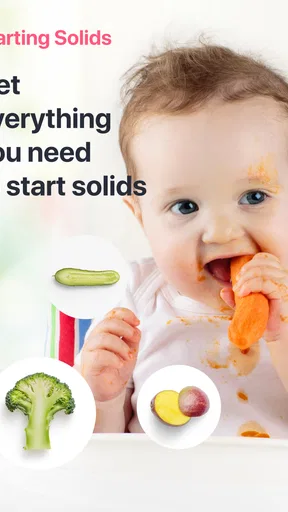
So, you're stepping into the world of purees and finger foods, and you’re probably wondering how to make it all a tad less overwhelming. I’ve been there, and trust me, this app is like having a baby food guru in your pocket. From what I’ve seen, the app is designed to guide you through every stage, ensuring your baby’s transition to solids is as smooth as possible.
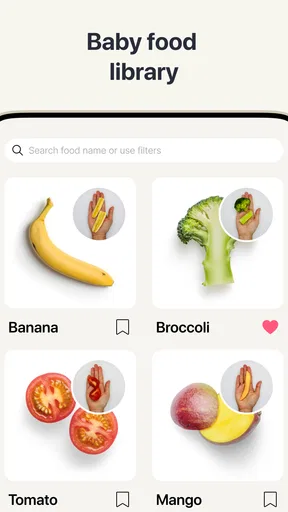
When I first opened Starting Solids: Baby Food, I was greeted with a super user-friendly interface. It’s colorful and engaging, which is a huge plus when you’re trying to navigate it with a baby in one arm. The app pretty much holds your hand through the process, which I found incredibly comforting.
The Features You’ll Love
Alright, let’s jump into the features. One of my favorites is the meal planner. It’s like having a dietitian who specializes in baby nutrition. You can plan meals ahead of time, ensuring you introduce a variety of foods without overwhelming your baby (or yourself!).
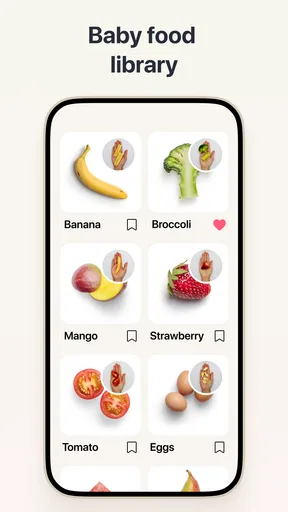
The app also offers a recipe section that’s a lifesaver. Whether you’re a kitchen newbie or a seasoned chef, the recipes are straightforward and categorized by age, which is super helpful. I mean, who knew you could whip up such diverse meals for a baby?
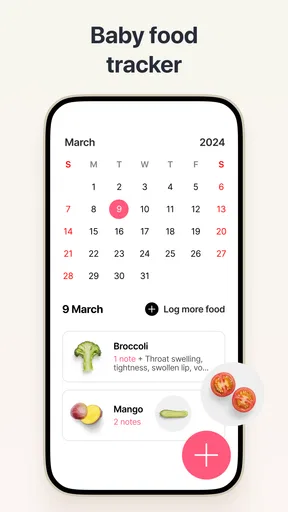
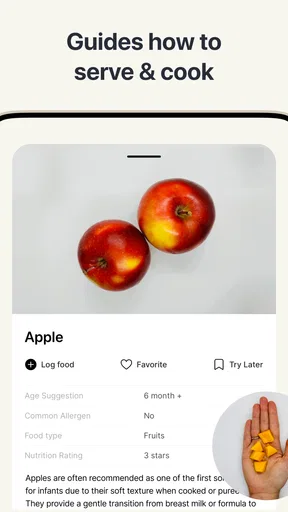
Another nifty feature is the tracking tool. You can monitor what foods your baby has tried, along with any reactions. This is a great way to identify any potential allergies early on and keep everything organized. Plus, it’s fun to look back and see how your baby’s palate has expanded over time.
Why This App Stands Out
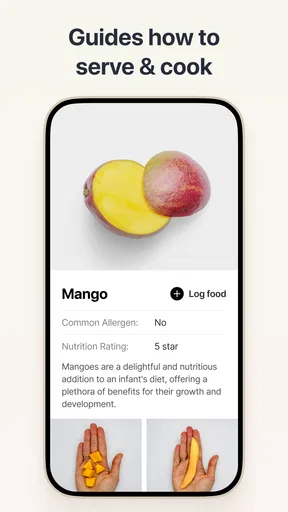
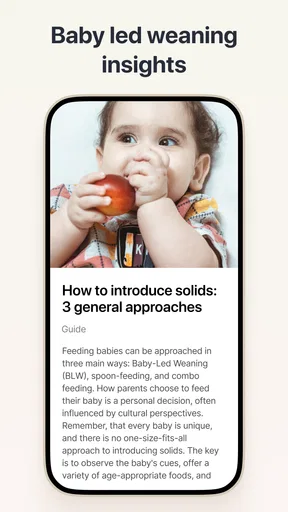
One thing I really appreciate about this app is the educational content. It’s packed with expert tips and videos on how to safely introduce solids, the right textures for each age, and more. It’s like having a mini parenting class right there on your phone. I found myself feeling much more confident after browsing through the materials.
The community aspect is another highlight. There’s a section where parents can share experiences and advice. It’s heartwarming and reassuring to know you’re not alone on this journey, and sometimes you pick up a tip that’s a total game-changer.
Final Thoughts
In the world of parenting apps, Starting Solids: Baby Food is a gem. It’s practical, informative, and genuinely helpful in making the transition to solid foods a breeze. Whether you’re a first-time parent or just looking for a bit of guidance, this app is worth checking out.
So, if you’re gearing up to introduce your little one to the wonderful world of flavors, give this app a go. It might just become one of your favorite parenting tools. Happy feeding!
Pros
- Easy-to-follow recipes for beginners.
- Nutritional info provided for each meal.
- Customizable meal plans available.
- Visually appealing
- user-friendly design.
- Offline access to saved recipes.
Cons
- Limited advanced options for experienced cooks.
- No multilingual support currently available.
- Occasional app crashes reported by users.
- In-app purchases can be pricey.
- Lacks community interaction features.
FAQs for Starting Solids: Baby Food
What age is appropriate for introducing Starting Solids: Baby Food?
Starting Solids: Baby Food is designed for parents introducing solid foods to their babies, typically around 6 months of age. However, it's crucial to consult with your pediatrician to ensure your baby is developmentally ready. The app provides guidelines and recipes to help in this transition smoothly.
How does the app ensure the safety of baby food recipes?
The app offers recipes and guidelines vetted by nutritionists and pediatricians, focusing on safe, allergen-free ingredients. It also includes tips on how to prepare and store food safely to minimize risks. Users are encouraged to adapt recipes to their baby's dietary needs and consult healthcare professionals if unsure.
Can I customize meal plans in Starting Solids: Baby Food?
Yes, the app allows parents to customize meal plans based on their baby’s dietary preferences and nutritional needs. It offers suggestions and variations for each recipe, ensuring flexibility. This feature helps accommodate any specific allergies or food intolerances your baby might have.
Does the app include tracking features for baby's food intake?
Starting Solids: Baby Food includes a tracking feature where parents can log meals and monitor their baby’s eating habits and preferences. This tool assists in identifying any potential allergies or intolerances and helps ensure a balanced diet as your baby grows.
Is Starting Solids: Baby Food available for both Android and iOS?
Yes, Starting Solids: Baby Food is available for download on both Android and iOS platforms. The app is designed with a user-friendly interface, making it easy for parents to navigate and access all features seamlessly. Links for download are available on the app's website.


